
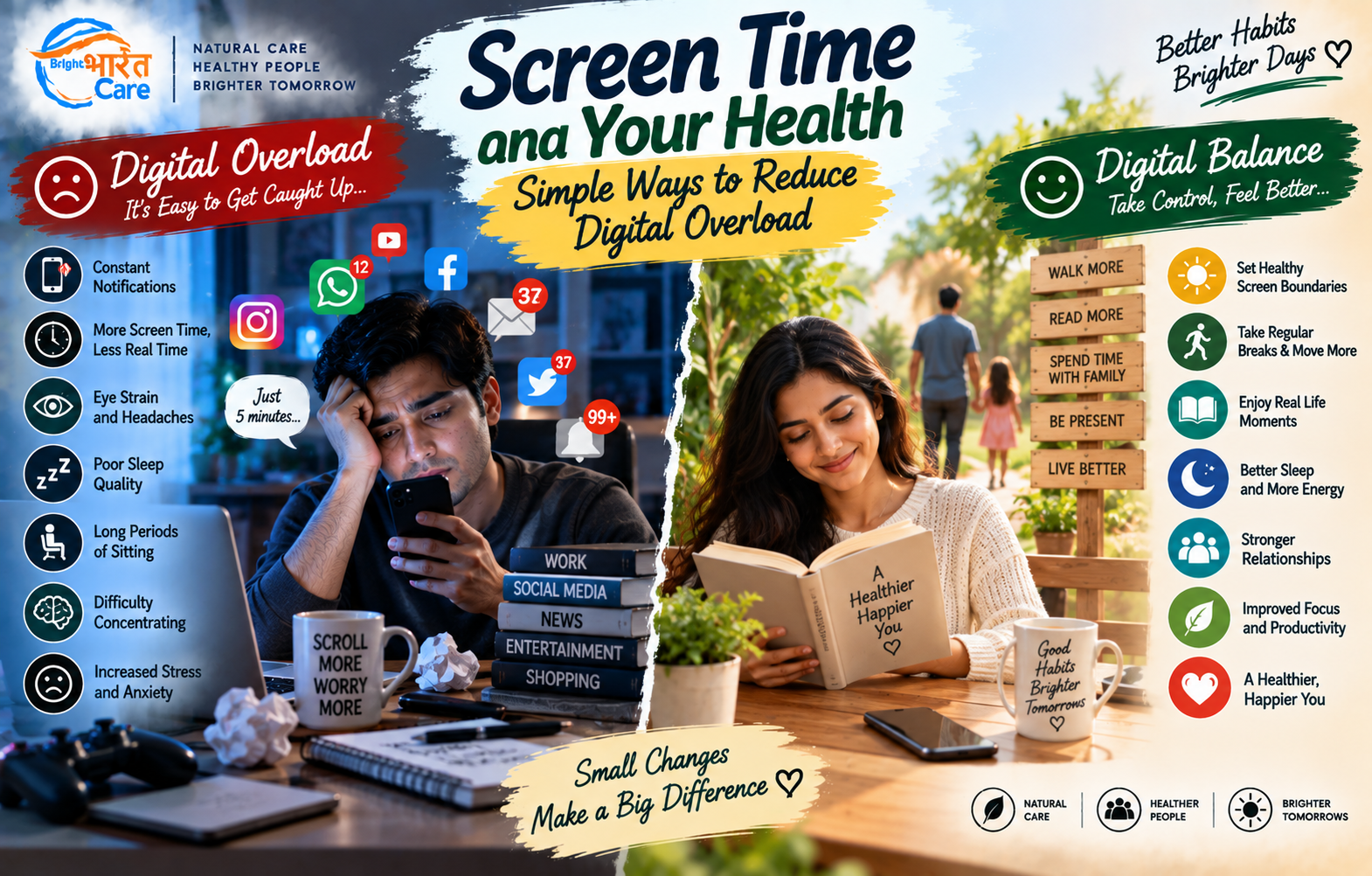
Screen Time and Your Health: Simple Ways to Reduce Digital Overload
Think about the first thing you do after waking up.
For many of us, it is checking the phone.
Messages. Social media. News. Emails. Videos. Work notifications.
Then we spend hours looking at computers for work, use our phones during breaks, watch television in the evening, and often return to the phone one last time before sleeping.
Screens have become an essential part of modern life. They help us work, communicate, learn, shop and stay entertained.
So the goal is not to eliminate screens completely.
The more useful question is:
Are your digital habits beginning to interfere with your sleep, movement, concentration, relationships or general well-being?
If they are, a few small changes can make your relationship with technology more intentional.
What Is Digital Overload?
There is no single number of screen-time hours that automatically means someone has “digital overload.”
Work, study, communication and accessibility needs vary widely.
Instead, pay attention to how your screen use affects your daily life.
You may want to reconsider your habits if you regularly notice:
- Staying online much longer than intended
- Difficulty concentrating without checking your phone
- Screen use delaying bedtime
- Long periods of sitting
- Eye discomfort after extended screen use
- Neck, shoulder or back discomfort
- Constantly checking notifications
- Using your phone during most meals
- Feeling mentally drained after prolonged scrolling
- Screen use repeatedly replacing exercise, hobbies or face-to-face interaction
The issue is not simply how many hours you spend on a screen.
It is also what that screen time is replacing.
1. Stop Starting Your Day With Notifications
Your alarm rings.
You pick up your phone to turn it off.
Then you see a message.
Then an email.
Then Instagram.
Then the news.
Suddenly, the first 20 minutes of your morning have disappeared.
Starting every morning with notifications can immediately pull your attention toward other people’s messages, requests and content.
What Can You Try?
Create a short phone-free period after waking.
It doesn’t have to be an hour.
Even 10–20 minutes can give you time to:
💧 Drink water
🚿 Get ready
🧘 Sit quietly
🚶 Move around
☀️ Get some morning light
📝 Think about your priorities
Let your morning begin with you, not your notification panel.
2. Turn Off Notifications You Don’t Need
Every notification asks for your attention.
Ping.
You check your phone.
Buzz.
You check again.
Even when the notification isn’t important, it can interrupt what you were doing.
You probably don’t need immediate alerts from every shopping app, game, social-media platform and promotional service.
Try a Notification Cleanup
Keep important notifications.
Consider disabling unnecessary ones such as:
🛍️ Promotional alerts
🎮 Game notifications
📢 Marketing messages
📱 Non-essential social-media alerts
You can still open those apps when you choose.
The difference is that the app is no longer constantly choosing the moment for you.
3. Don’t Let Your Phone Live in Your Hand
Sometimes we open our phones without consciously deciding to.
Waiting for the lift?
Phone.
Standing in a queue?
Phone.
Commercial break?
Phone.
Someone else leaves the room for 30 seconds?
Phone.
These tiny moments can add up.
What Can You Try?
Sometimes leave your phone slightly out of reach.
Place it on a table instead of in your hand.
Keep it in your bag during a conversation.
Leave it away from your desk when doing focused work, if practical.
Creating even a small amount of physical distance can make checking your phone a more deliberate action.
4. Take Regular Breaks From Long Screen Sessions
Extended computer or phone use can contribute to eye discomfort and fatigue for some people.
You may notice:
👁️ Dry or irritated eyes
👁️ Blurred vision
🤕 Headaches
😣 Eye strain
One reason is that people may blink less frequently while concentrating on screens.
A Simple Habit
Periodically look away from the screen and focus on something farther away.
Blink normally.
Get up occasionally.
Give your eyes and body a change of task.
Some people use the popular 20-20-20 approach as a reminder: after about 20 minutes of screen use, look at something around 20 feet away for about 20 seconds.
It isn’t a magic treatment, but it can serve as a simple reminder to take visual breaks.
5. Pay Attention to Your Neck and Back
Have you ever caught yourself looking at your phone like this?
Head down. Shoulders rounded. Back curved.
And then stayed in that position for 30 minutes?
The problem isn’t that there is one universally “perfect” posture you must maintain every second.
The bigger issue can be spending long periods in the same uncomfortable position.
What Can You Try?
When using screens for extended periods:
- Adjust the screen to a comfortable viewing position.
- Support your back where practical.
- Relax your shoulders.
- Change position regularly.
- Take movement breaks.
- Avoid holding your phone very low for prolonged periods.
Movement and variation matter.
6. Make Meals Screen-Free Sometimes
Eating while watching television or scrolling has become completely normal.
You might finish an entire meal and barely remember eating it.
Try making at least some meals a screen-free space.
Put the phone away.
Turn off the television.
Eat.
Talk to the people around you.
Notice your food.
You don’t have to create a strict rule for every meal forever.
Start with one meal a day if that feels realistic.
7. Don’t Take Social Media to Bed Every Night
You open your phone at 10:30 PM.
You plan to watch one video.
Suddenly it’s 11:45 PM.
The problem is not only the screen itself.
The content can keep your brain engaged:
One more reel.
One more post.
One more message.
One more news story.
And social platforms are designed to make “one more” very easy.
What Can You Try?
Set a realistic digital cut-off point before bed.
For example:
📱 Put the phone away before your intended bedtime.
🔕 Enable Do Not Disturb for non-essential alerts.
🔌 Charge the phone away from your pillow when practical.
⏰ Consider using a separate alarm clock if the phone keeps pulling you back into apps.
The goal is to create a transition between your digital day and your sleep.
8. Be Careful With “Just Five Minutes”
Short-form video platforms make time surprisingly easy to lose.
You may think:
“I’ll scroll for five minutes.”
Then 45 minutes disappear.
This isn’t necessarily a failure of willpower. Many digital platforms are deliberately designed to keep people engaged.
Create a Little Friction
You could:
- Set app limits or reminders
- Remove distracting apps from the home screen
- Log out after using certain services
- Disable autoplay where available
- Use Focus or Do Not Disturb modes
- Decide what you want to do before opening an app
One useful question is:
“Why am I opening this app right now?”
Sometimes there is a reason.
Sometimes there isn’t.
9. Replace Screen Time—Don’t Just Remove It
If you normally spend two hours scrolling every evening and simply tell yourself:
“From tomorrow, no phone.”
what are you going to do with those two hours?
Without an alternative, you may quickly return to the phone.
Instead, replace some screen time with something specific.
For example:
📚 Read a book
🚶 Go for a walk
🏋️ Exercise
🎵 Listen to music
🍳 Cook
🌱 Garden
🧩 Play a game or puzzle
☕ Talk with family
✍️ Write
🧘 Relax without a screen
Digital habits are often easier to change when another activity fills the space.
10. Move More During Your Screen-Filled Day
If your job requires a computer for eight hours, telling you to “reduce screen time” may not be realistic.
Instead, focus on what you can control.
Try breaking up prolonged sitting.
Walk while taking an appropriate phone call.
Stand and stretch periodically.
Take a short walk during lunch.
Use stairs when suitable.
Go outside after work.
Your job may require a screen.
It doesn’t necessarily require being completely inactive for the rest of the day.
11. Don’t Compare Your Real Life With Someone Else’s Highlight Reel
Social media usually shows selected moments.
Holidays.
Achievements.
Perfect meals.
New cars.
Fitness transformations.
Celebrations.
Successful businesses.
What you often don’t see are the boring days, mistakes, arguments, worries, failures and ordinary routines.
If scrolling regularly leaves you feeling inadequate, anxious or unhappy, pay attention to that response.
Consider unfollowing or muting accounts that consistently make your experience worse.
Your digital environment is something you can partly curate.
12. Try a Weekly Digital Reset
You don’t need a dramatic seven-day “digital detox.”
Instead, create small periods where screens are optional.
For example:
Sunday Morning
No social media until breakfast is finished.
Family Dinner
Phones stay away from the table.
Evening Walk
Leave the phone in your pocket unless needed.
One Hour Before Bed
Reduce non-essential screen use.
Small boundaries are often easier to maintain than extreme rules.
Do Blue-Light Glasses Solve Everything?
Blue-light-filtering glasses are widely marketed as a solution for screen-related eye strain and sleep problems.
However, screen-related discomfort can have multiple contributors, including prolonged near focus, reduced blinking, glare, dryness and extended uninterrupted use.
Simply buying glasses does not replace good screen habits.
If you experience persistent eye strain, headaches, blurred vision or other visual symptoms, an eye-care professional can assess whether there is another issue that needs attention.
How Much Screen Time Is “Too Much”?
For adults, there isn’t one universal number that makes all screen use unhealthy.
Eight hours spent doing necessary computer work is not equivalent to eight hours of passive late-night scrolling.
Instead of focusing only on a number, ask:
Is screen time affecting my sleep?
Is it replacing physical activity?
Is it interfering with work or study?
Is it affecting my relationships?
Do I feel unable to stop even when I want to?
Am I experiencing persistent physical discomfort?
These questions can sometimes be more useful than simply chasing a daily hour limit.
A Simple 7-Day Digital Reset
If you want to improve your digital habits without making drastic changes, try this:
Day 1: Turn off unnecessary notifications.
Day 2: Keep your first 15 minutes after waking screen-free.
Day 3: Have one meal without a phone or television.
Day 4: Take regular movement and visual breaks during work.
Day 5: Remove your most distracting app from the home screen.
Day 6: Take a walk without actively scrolling.
Day 7: Put your phone away before bedtime.
At the end of the week, notice which change made the biggest difference.
Keep that one.
Then build from there.
When Digital Use May Need More Attention
Consider seeking appropriate professional support if your digital or internet use is significantly interfering with:
- Sleep
- Work or education
- Relationships
- Physical activity
- Mental well-being
- Everyday responsibilities
Likewise, persistent headaches, eye problems, significant pain or sleep difficulties deserve appropriate medical assessment rather than simply assuming that screens are the only cause.
The Bottom Line
Technology is not the enemy.
Your phone can connect you with family, help you work, teach you new skills, entertain you and make everyday tasks easier.
The goal isn’t to return to a world without screens.
The goal is to make sure you are using your technology—rather than allowing it to use all of your attention.
Start small:
🔕 Remove unnecessary notifications.
🍽️ Keep some meals screen-free.
👀 Take visual breaks.
🚶 Move throughout the day.
📱 Stop automatic scrolling when you notice it.
🌙 Create some distance from your phone before bed.
You don’t need a perfect digital routine.
You just need a more intentional one.
A Question for You
Which app takes up the most of your screen time every day? 📱
And if you had one extra screen-free hour today, what would you do with it?
Share your answer in the comments below. 💚
— Bright Bharat Care
This article provides general educational information and is not medical advice. Persistent problems with sleep, vision, pain, mental well-being or compulsive digital use should be discussed with an appropriately qualified professional.






One comment
ABHINAV BHARDWAJAuthor
Thank you for reading! 📱💚 At Bright Bharat Care, we believe technology should make our lives easier without taking away from the things that matter most. Small habits like taking regular screen breaks, reducing unnecessary notifications, spending more time moving, keeping some meals screen-free, and putting the phone aside before bedtime can help us build a healthier relationship with technology. We hope this article encourages you to find a digital balance that works for your lifestyle. Which screen-time habit would you like to change first? Share your thoughts in the comments below! 🌿
— Team Bright Bharat Care